

Attachments
Upload images and PDFs from the chat composer
Attachments adds a file picker, mobile camera capture, and paste/drop handling to the composer. Uploaded files use your configured file storage provider.
Installation
Add the plugin
Run this command inside your ChatJS app:
Before adding this plugin, configure a durable Files SDK storage provider in your app. Choose one during app creation, or follow File storage to configure an existing app. Set the provider’s generated environment variables. For Vercel Blob, set BLOB_READ_WRITE_TOKEN. Installation stops if you have no durable provider configured.
bunx chat-js@alpha add attachment-uploadsThe plugin adds the upload endpoint and composer controls. It adds no database tables and has no features.attachments enable flag.
Usage
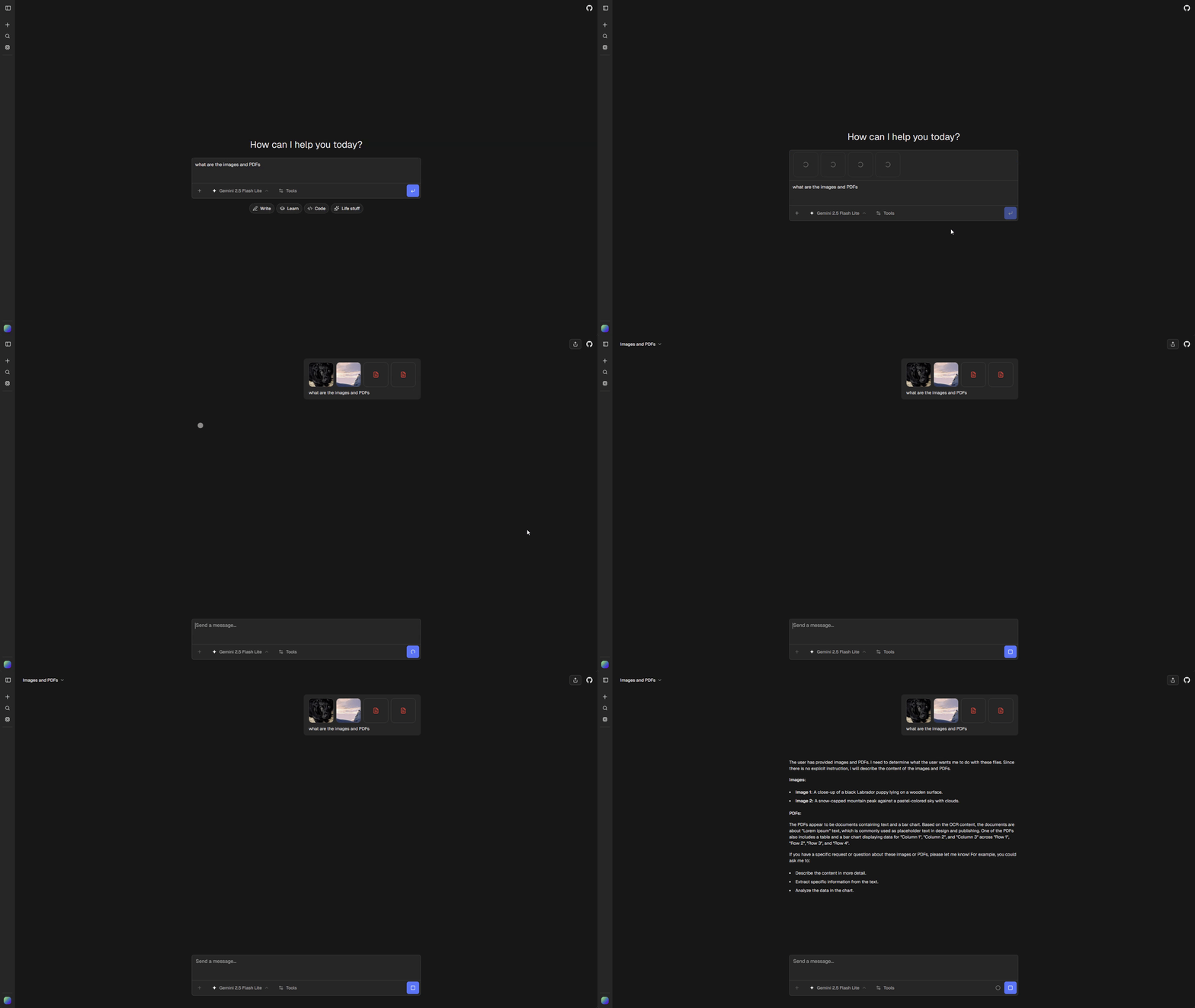
Sign in and choose Attach files from the composer menu. On mobile, Take photo opens the camera. You can also paste or drop supported files into the composer.
Supported file types
| Type | Extensions | Processing |
|---|---|---|
| Images | .png, .jpg, .jpeg |
Model image input |
| PDFs | .pdf |
Document processing |
Choose a model that supports the attached file types. The composer blocks sending an image or PDF when the selected model does not support that input.
Options
Set limits and accepted types under attachments in chat.config.ts:
attachments: {
  maxBytes: 1024 * 1024,
  maxDimension: 2048,
  acceptedTypes: {
    "image/png": [".png"],
    "image/jpeg": [".jpg", ".jpeg"],
    "application/pdf": [".pdf"],
  },
},
maxBytes limits the uploaded size after compression. maxDimension limits image width and height when compressing JPEG or PNG files that exceed maxBytes. Images already within the byte limit are uploaded unchanged, even if their dimensions are larger.
Storage and customization
Files are uploaded through the configured provider and represented by provider-independent ChatJS URLs. Historical attachments and tool-produced files remain available in core when new uploads are omitted.
Edit chatjs/plugins/attachment-uploads/ to customize upload behavior. Only one installed plugin can provide the uploads contribution. See the Plugin API.