

Code Execution
Secure Python and JavaScript sandbox for running code
Overview
Execute Python and JavaScript code in a secure sandboxed environment directly from chat. The code-execution tool uses shared sandbox infrastructure with a five-minute execution deadline. Select Vercel Sandbox or Daytona independently of the tool. Sandboxes are optional. An app using sandbox-backed tools must select exactly one provider. Other tools can reuse the same infrastructure. Ad-hoc and saved-document execution use the selected executor. Saved documents execute their authorized stored revision, not replacement source supplied by the caller.
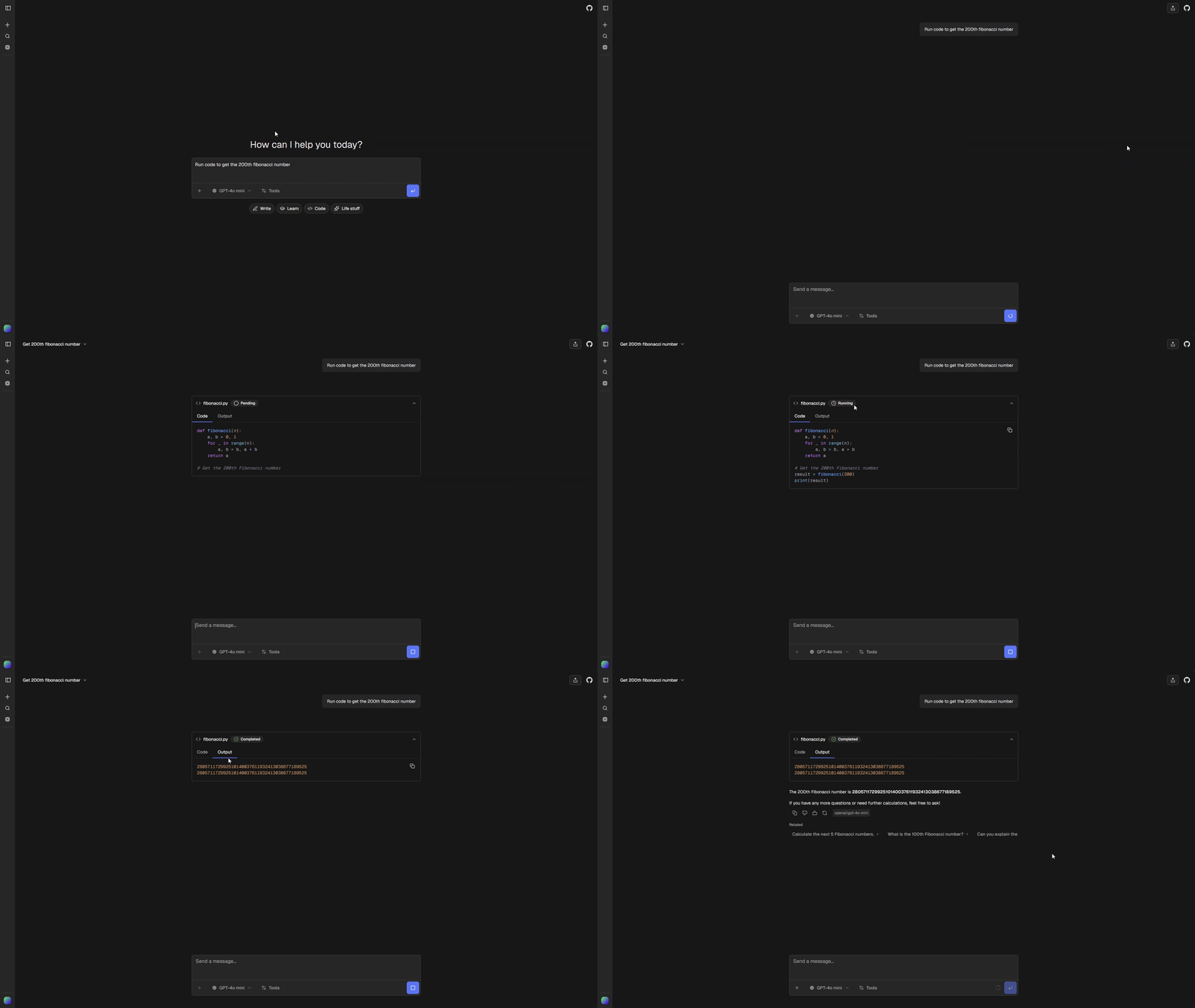
Installation
Install the tool with a compatible sandbox provider:
bunx chat-js@alpha add code-execution --sandbox-provider vercelConfigure provider credentials using the sandbox setup guide. Sandbox selection is shared infrastructure, including persistent EVE session files when the provider supports them.
For saved code documents, install the execution action and its dependencies:
bunx chat-js@alpha add saved-code-execution --sandbox-provider vercelPre-installed Packages
Both built-in providers install these packages inside each Python sandbox before executing your code:
matplotlib- Plotting and visualizationpandas- Data analysisnumpy- Numerical computingsympy- Symbolic mathematicsyfinance- Yahoo Finance market data
Installing Additional Packages
Add !pip install lines at the top of your code. They are automatically stripped before execution:
!pip install requests beautifulsoup4

import requests
from bs4 import BeautifulSoup

response = requests.get("https://example.com")
print(response.status_code)
Output
There are two ways to return output:
1. Use print()
import pandas as pd
df = pd.DataFrame({"a": [1, 2], "b": [3, 4]})
print(df.head())
2. Assign to result or results
The sandbox automatically prints these variables if they exist:
import numpy as np
result = np.mean([1, 2, 3, 4, 5])Charts
The sandbox supports matplotlib charts. No need to call plt.show(). The chart is saved automatically:
import matplotlib.pyplot as plt
import numpy as np

x = np.linspace(0, 10, 100)
y = np.sin(x)

plt.figure(figsize=(10, 6))
plt.plot(x, y)
plt.title("Sine Wave")
plt.xlabel("x")
plt.ylabel("sin(x)")
Interactive chart dictionaries support these chart types. Matplotlib output is returned as a PNG and is not limited to this list:
- Line charts
- Scatter plots
- Bar charts
Customize the tool
The generic tool, renderer, schemas and descriptor live in chatjs/tools/code-execution/. Shared Python and JavaScript command wrappers live under chatjs/tools/_shared/code-execution/. Generated chatjs/generated/code-executor.ts exports the typed executor for ad-hoc and saved-document execution.
See Sandboxes for provider credentials, runtime images, custom provider contracts, resource cleanup, and provider validation.
Accounting
The built-in executor records $0.05 of usage cost for a completed execution after output validation and confirmed cleanup. This recorded cost is independent of the provider invoice. When installed, Credits applies its balance and debit policy. Without a billing adapter, core records the usage without debiting a balance. Infrastructure failures record zero application cost, although provider compute costs can still accrue. See sandbox lifecycle and accounting.