

Multi-Model Support
Access hundreds of AI models through a pluggable gateway abstraction
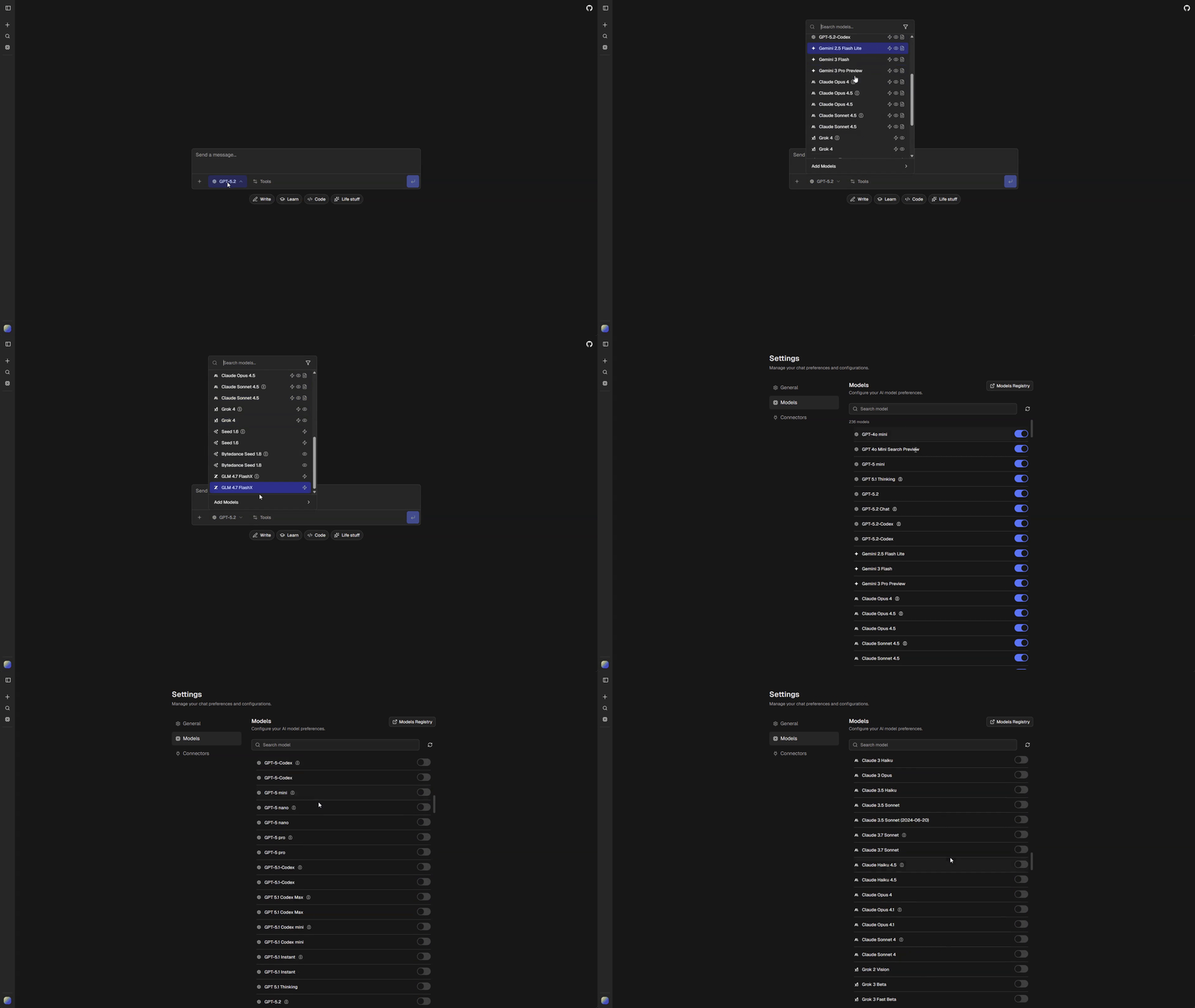
ChatJS provides access to hundreds of models from multiple providers through a pluggable gateway system. Set ai.gateway in chat.config.ts to choose your backend, then configure which models are available and how they behave.
See Gateways for setup instructions and the full gateway comparison.
Model Configuration
All model settings live in chat.config.ts under the ai key:
ai: {
  gateway: "vercel",
  providerOrder: ["openai", "google", "anthropic", "xai"],
  disabledModels: ["morph/morph-v3-large", "morph/morph-v3-fast"],
  curatedDefaults: [
    "openai/gpt-5-nano",
    "openai/gpt-5-mini",
    "google/gemini-2.5-flash-lite",
    "anthropic/claude-sonnet-4.5",
    // ...
  ],
  anonymousModels: [
    "google/gemini-2.5-flash-lite",
    "openai/gpt-5-mini",
    // ...
  ],
  workflows: {
    chat: "openai/gpt-5-nano",
    title: "google/gemini-2.5-flash-lite",
    pdf: "openai/gpt-5-mini",
    chatImageCompatible: "openai/gpt-4o-mini",
  },
  tools: {
    image: {
      enabled: true,
      default: "google/gemini-3-pro-image",
    },
  },
},| Setting | Description |
|---|---|
ai.gateway |
Active AI gateway |
ai.providerOrder |
Provider sort order in the model selector |
ai.disabledModels |
Models hidden from all users |
ai.curatedDefaults |
Models enabled by default for new users |
ai.anonymousModels |
Models available to anonymous users |
ai.workflows.* |
Default models for shared application workflows |
ai.tools.* |
Tool enablement and tool-specific model defaults |
Reasoning Variants
Models that support extended thinking are automatically split into two variants:
{model-id}(standard mode){model-id}-reasoning(extended thinking enabled)
This happens automatically in buildAppModels() for any model with reasoning: true.
Visibility Pipeline
Model visibility is determined through a pipeline:
Authenticated Users
- Remove disabled models (
ai.disabledModels) - Apply defaults (
ai.curatedDefaultsplus any new API models not inmodels.generated.ts) - Apply user overrides from saved preferences
Anonymous Users
- Remove disabled models
- Filter to
ai.anonymousModelsonly
User Settings
Users configure their model preferences at /settings/models. This page lets users toggle individual models on or off. A link to AI Registry provides detailed model information.