

Code Execution
Secure Python and JavaScript sandbox for running code
Overview
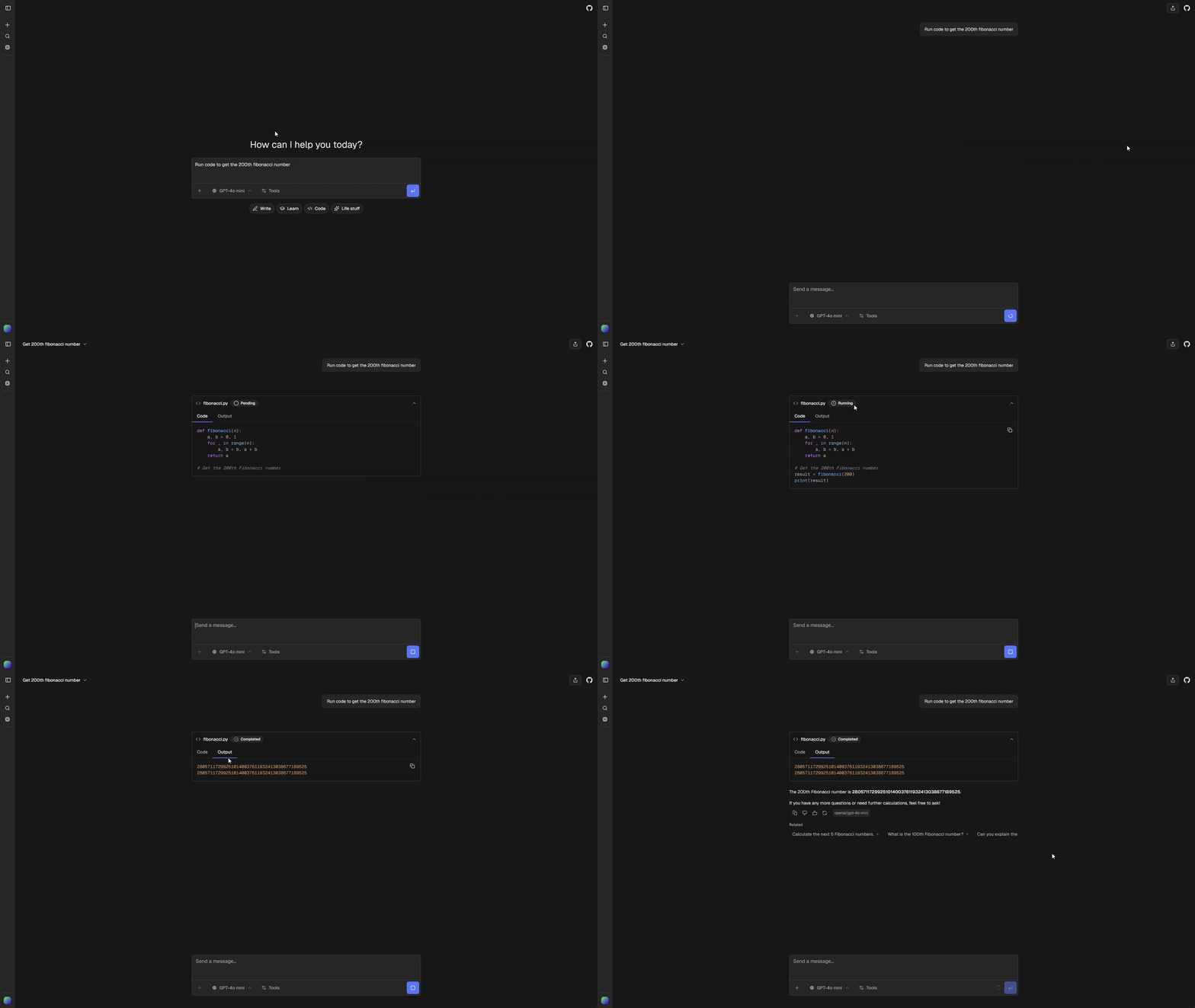
Execute Python and JavaScript code in a secure sandboxed environment directly from chat. The default registry item uses Vercel Sandbox with a 5-minute timeout and 2 vCPUs. You can select an external code-execution item that exports a standard AI SDK tool.
Quick Start
Select the tool when creating an app:
npx @chat-js/cli@latest create my-app --yes \
  --code-execution-tool vercel-code-execution
This enables code execution, installs @vercel/sandbox, and copies the provider’s source to tools/chatjs/vercel-code-execution/. An external item URL is also accepted:
npx @chat-js/cli@latest create my-app --yes \
  --code-execution-tool https://example.com/r/my-sandbox.json
The fresh template includes only the selected implementation and dependencies. The CLI prints the selected item’s credential requirements. Vercel Sandbox needs VERCEL_OIDC_TOKEN or the team/project/token credentials described below.
For an existing app, install the item with chat-js add vercel-code-execution, then enable it in chat.config.ts. When switching implementations, remove the previous provider directory first; only one codeExecution item can occupy the slot. Keep generated registration files intact and let add or sync regenerate them.
npx @chat-js/cli@latest add vercel-code-executionEnable code execution:
ai: {
  tools: {
    codeExecution: {
      enabled: true,
    },
  },
}
Pre-installed Packages
The Vercel item makes these Python packages available out of the box:
matplotlib- Plotting and visualizationpandas- Data analysisnumpy- Numerical computingsympy- Symbolic mathematicsyfinance- Yahoo Finance market data
Installing Additional Packages
Add !pip install lines at the top of your code. They are automatically stripped before execution:
!pip install requests beautifulsoup4

import requests
from bs4 import BeautifulSoup

response = requests.get("https://example.com")
print(response.status_code)
Output
There are two ways to return output:
1. Use print()
import pandas as pd
df = pd.DataFrame({"a": [1, 2], "b": [3, 4]})
print(df.head())
2. Assign to result or results
The sandbox automatically prints these variables if they exist:
import numpy as np
result = np.mean([1, 2, 3, 4, 5])Charts
The sandbox supports matplotlib charts. No need to call plt.show(). The chart is saved automatically:
import matplotlib.pyplot as plt
import numpy as np

x = np.linspace(0, 10, 100)
y = np.sin(x)

plt.figure(figsize=(10, 6))
plt.plot(x, y)
plt.title("Sine Wave")
plt.xlabel("x")
plt.ylabel("sin(x)")
Supported chart types:
- Line charts
- Scatter plots
- Bar charts
Customization
Sandbox Runtime
Set the Python version via environment variable:
VERCEL_SANDBOX_RUNTIME=python3.13Non-Vercel Deployments
When deploying outside Vercel (Docker, Railway, Fly.io, etc.), you need to authenticate with an access token since VERCEL_OIDC_TOKEN is unavailable.
- Copy your Team ID from team settings
- Copy your Project ID from project settings
- Create a token in your Vercel account settings scoped to your team
- Set these environment variables:
VERCEL_TEAM_ID=team_xxx
VERCEL_PROJECT_ID=prj_xxx
VERCEL_TOKEN=your_token_here
The sandbox automatically uses these credentials when running outside Vercel infrastructure.
Tool Definition
The installed Vercel implementation lives in tools/chatjs/vercel-code-execution/:
The item includes tool.ts, renderer.tsx, sandbox.ts, python.ts, javascript.ts, types.ts, and its chatjs.json descriptor. tools/chatjs/tools.ts and tools/chatjs/ui.ts register the tool and its renderer automatically. code-execution-config.ts contains generated credential requirements.
Edit the installed provider source to change its description, runtime, or packages. The app imports the registered tool. Its renderer understands the Vercel item’s title, language, code, message, and chart fields. External items own their input/output shapes and may provide a different renderer.
Third-party providers use the standard tool registration. Their credentials and lifecycle belong in their own source. ChatJS does not expose a general-purpose sandbox API or load provider code dynamically.